
In today’s visually-driven world, stock photos have become essential for anyone looking to enhance their content. Whether you’re a blogger, marketer, or small business owner, the right image can make all the difference in capturing attention and conveying your message. I’ve seen firsthand how quality visuals can elevate a project and draw in an audience.

Navigating the vast sea of stock photo options can be overwhelming. With countless platforms offering millions of images, how do you choose the perfect one? I’ll share insights on selecting stock photos that not only fit your brand but also resonate with your target audience. Let’s dive into the world of stock photography and discover how to make the most of these invaluable resources.

Overview of Stock Photos

Stock photos refer to professionally shot images made available for licensing. They serve as a resource for businesses, bloggers, and marketers seeking high-quality visuals. These images can also help you illustrate concepts, evoke emotions, or enhance brand storytelling.

Accessing stock photos is easy through several online platforms. Users can find diverse categories and styles to suit various needs. Images range from lifestyle shots to business settings, providing ample options for any project.

Licensing options vary, including royalty-free and rights-managed images. Royalty-free stock photos allow unlimited use after a one-time fee, while rights-managed images require payment based on specific usage. Understanding these licensing agreements is crucial for compliance and maximizing value.

Consider the relevance of stock photos to your audience and the message you want to convey. Selecting images that resonate boosts engagement and fosters connection. High-quality visuals not only capture attention but also enhance the overall aesthetic of any content.

Types of Stock Photos

Understanding the types of stock photos available helps in selecting the right visuals for content. Two primary categories are royalty-free and rights-managed stock photos.

Royalty-Free Stock Photos

Royalty-free stock photos grant users the right to use images without paying ongoing royalties. Users pay a one-time fee for these images, allowing for broad usage in various projects like marketing materials and websites. This flexibility often leads to cost savings for businesses and creators. For example, a blogger can purchase an image and repurpose it across multiple articles or social media posts without incurring additional charges.

Rights-Managed Stock Photos

Rights-managed stock photos operate under a different licensing structure. Users pay based on specific usage terms, such as duration, geographic reach, and type of media. This type of license ensures exclusivity and often higher quality images, appealing to brands requiring unique visuals. For instance, a company might license a rights-managed image for a particular campaign, preventing others from using the same image concurrently. Understanding these terms is crucial for maximizing value and adhering to legal requirements.

Benefits of Using Stock Photos

Stock photos offer various advantages for creators seeking to enhance their visual content. Their accessibility and quality make them an essential resource for bloggers, marketers, and small business owners.

Cost-Effective Solutions

Stock photos provide cost-effective solutions that cater to diverse budgets. With royalty-free options, I can purchase images at a one-time fee, allowing for unlimited use across multiple projects. This approach saves money compared to hiring professional photographers for custom imagery. By using stock photos, I maximize my visual content without sacrificing quality, enabling me to allocate resources to other areas of my projects.

Time-Saving Options

Stock photos save time in the creative process. Instead of organizing photoshoots, I can quickly browse extensive online libraries to find suitable images. Many platforms offer advanced search filters, making it easy to locate the perfect stock photos that match my branding and messaging. By streamlining the image selection process, I spend less time on visuals and more time on creating compelling content that resonates with my audience.

Where to Find Stock Photos

Finding high-quality stock photos is crucial for enhancing visual content. Various platforms offer a rich collection of images suited for different needs.

Popular Stock Photo Websites

  1. Shutterstock: I frequently turn to this platform for its extensive library of over 300 million stock photos. The advanced search features simplify finding the perfect image.
  2. Adobe Stock: I appreciate Adobe Stock for its seamless integration with Adobe Creative Cloud. It offers over 200 million high-quality stock photos, making it ideal for graphic designers.
  3. Getty Images: Known for premium quality, Getty Images provides a vast selection of rights-managed stock photos. This option is great when I require exclusive visuals.
  4. iStock: Part of Getty Images, iStock focuses on affordable, royalty-free stock photos. I find its subscription plans beneficial for ongoing projects.
  5. Unsplash: For free stock photos, I often navigate to Unsplash. It hosts a large collection of high-resolution images uploaded by talented photographers.

Tips for Searching Effectively

  1. Use Specific Keywords: I type in detailed keywords to narrow results. Instead of “dog,” I might specify “golden retriever puppy playing.”
  2. Apply Filters: I utilize filters for orientation, color, and image type. This speeds up the process and ensures relevance.
  3. Check Licensing Options: I always review the licensing agreements for stock photos. Understanding these ensures compliance with usage rights.
  4. Explore Categories: I browse through categories to discover stock photos that align with my content theme. This often leads to unexpected finds.
  5. Save Favorites: I save images that resonate with my projects. This creates a convenient library for future reference, streamlining content creation.

Conclusion

Stock photos are an invaluable asset for anyone looking to elevate their content. By choosing the right images, I can effectively communicate my message and connect with my audience on a deeper level. Understanding the various licensing options and types of stock photos available empowers me to make informed decisions that align with my brand’s needs.

With countless platforms at my fingertips, I can access a diverse range of high-quality visuals that save me time and money. Whether I’m a blogger, marketer, or small business owner, leveraging stock photos can significantly enhance the overall impact of my content. Embracing this resource allows me to focus on what truly matters—creating engaging and meaningful experiences for my audience.


Los Angeles homeowners know that the kitchen serves as more than just a cooking space – it’s the heart of their home where family and friends gather. With the city’s diverse architectural styles and modern design influences, finding the right kitchen designer can transform an ordinary space into a stunning culinary haven.

The LA kitchen design scene blends functionality with the latest trends, creating spaces that reflect both the homeowner’s personality and the city’s innovative spirit. From sleek minimalist designs in Beverly Hills to cozy farmhouse-style kitchens in Silver Lake, professional designers understand how to marry form and function while incorporating sustainable materials and smart technology that’s become essential in today’s modern homes.

Why Los Angeles Homeowners Need Professional Kitchen Designers

Los Angeles kitchen designers transform ordinary spaces into personalized culinary environments that reflect the city’s diverse architectural styles. These experts navigate complex building codes specific to LA County while maximizing space in both compact urban apartments and expansive Beverly Hills estates.

Space Optimization

Professional kitchen designers in Los Angeles create efficient layouts that:

  • Configure work triangles between cooking appliances sinks storage areas
  • Integrate multi-functional storage solutions for tight urban spaces
  • Maximize natural light through strategic window placement
  • Design custom storage solutions for specialty cooking equipment gadgets

Technical Expertise

LA kitchen designers handle critical technical aspects:

  • Ensure compliance with California building energy efficiency standards
  • Coordinate permits inspections with local authorities
  • Plan proper ventilation systems for year-round comfort
  • Design adequate electrical systems for modern appliances

Value Enhancement

Professional designers increase property values through:

  • Integration of premium materials suited to LA’s climate
  • Installation of energy-efficient appliances reducing utility costs
  • Creation of entertainment-ready spaces aligned with LA lifestyle
  • Implementation of drought-resistant design features

Local Market Knowledge

  • Source materials from local sustainable suppliers
  • Incorporate earthquake-safe installation methods
  • Design outdoor kitchen connections for year-round use
  • Create spaces that appeal to LA’s luxury real estate market
Design Element Average Value Increase
Custom Cabinetry 15-20%
Smart Appliances 10-15%
Energy Efficiency 8-12%
Outdoor Kitchen Connection 7-10%

Top Kitchen Design Trends in Los Angeles

Los Angeles kitchen designers integrate global influences with local lifestyle preferences to create distinctive spaces. Current trends reflect the city’s diverse cultural heritage while embracing modern functionality.

Modern Mediterranean Influences

Mediterranean design elements dominate Los Angeles kitchens through warm earth tones paired with sleek finishes. Kitchen designers in Los Angeles incorporate terracotta tiles custom-colored in muted pastels modern interpretations of traditional patterns. Open shelving displays artisanal ceramics while brass fixtures add metallic warmth against white plastered walls. Statement hood vents feature copper or brushed bronze finishes complementing stone countertops in cream limestone or honed marble.

Indoor-Outdoor Kitchen Layouts

Los Angeles kitchen designers maximize California’s year-round climate by creating seamless transitions between interior kitchen spaces outdoor living areas. Folding glass walls open to covered patios equipped with professional-grade grills wood-fired ovens built-in refrigeration. Indoor kitchen islands extend to outdoor counter seating with matching materials durable quartz or weather-resistant granite. Strategic lighting placement illuminates both zones with adjustable LED systems pendant fixtures that maintain consistent ambiance from inside to outside entertaining spaces.

Design Element Implementation Rate Average Cost Impact
Folding Glass Walls 65% of new designs +$15,000-25,000
Outdoor Cooking Stations 78% of renovations +$8,000-20,000
Mediterranean Tiles 45% of projects +$2,000-5,000
Smart Appliances 82% of updates +$5,000-12,000

Leading Kitchen Design Studios in Los Angeles

Los Angeles hosts elite kitchen design studios that create exceptional culinary spaces for discerning clients. These establishments range from prestigious design firms to specialized boutique studios, each offering unique perspectives on kitchen design.

High-End Custom Design Firms

Elite kitchen design firms in Los Angeles transform luxury residences with sophisticated culinary spaces. Sarah Von Dreele Design Studio in Beverly Hills specializes in minimalist European-inspired kitchens with custom Italian cabinetry. Studio Lifestyle in West Hollywood creates award-winning kitchen spaces featuring rare stone surfaces paired with artisanal metalwork. These premier firms collaborate with renowned architects to deliver personalized designs ranging from $150,000 to $500,000.

Design Firm Specialty Average Project Cost
Sarah Von Dreele European Minimalist $250,000
Studio Lifestyle Contemporary Luxury $350,000
LA Design Collective Modern Traditional $200,000

Boutique Kitchen Design Services

Specialized boutique studios offer intimate design experiences with focused attention on client preferences. Design Vidal in Silver Lake creates eco-conscious kitchens using reclaimed materials matched with modern functionality. Kitchen Design Lab in Santa Monica specializes in compact urban kitchen solutions with innovative storage systems. These boutique services provide comprehensive design packages starting at $75,000, delivering personalized attention throughout the entire renovation process.

Boutique Studio Design Focus Starting Price
Design Vidal Eco-Conscious $75,000
Kitchen Design Lab Urban Solutions $85,000
Modern Nest California Modern $95,000

The Kitchen Design Process in Los Angeles

Los Angeles kitchen designers follow a structured approach to transform spaces into functional culinary environments. The process combines technical expertise with aesthetic consideration to create personalized kitchens that reflect each client’s lifestyle.

Initial Consultation and Planning

Los Angeles kitchen designers start with a detailed site assessment to evaluate the existing space dimensions, structural elements, plumbing locations, electrical systems and ventilation requirements. During this phase, designers create digital renderings and 3D models to visualize different layout options while considering:

  • Traffic flow patterns between workstations
  • Natural light optimization through window placement
  • Storage requirements based on cooking habits
  • Appliance specifications and placement
  • Local building code compliance parameters
  • Seismic safety considerations

Material Selection and Budgeting

The material selection process focuses on durability, style and sustainability while adhering to specified budget parameters. Los Angeles kitchen designers guide clients through choices including:

  • Countertop materials: quartz, marble, recycled glass
  • Cabinet finishes: wood species, laminates, paint colors
  • Hardware options: handles, pulls, hinges
  • Lighting fixtures: task, ambient, accent
  • Backsplash materials: tile, stone, metal
  • Flooring selections: hardwood, porcelain, natural stone
Item Category Budget Range
Cabinetry $30,000-80,000
Countertops $8,000-25,000
Appliances $15,000-50,000
Lighting $3,000-12,000
Installation $10,000-30,000

What to Look for in a Los Angeles Kitchen Designer

Selecting a kitchen designer in Los Angeles requires careful evaluation of specific qualifications and expertise. Here’s what matters most when choosing a professional to transform your kitchen space.

Portfolio and Experience

Los Angeles kitchen designers showcase their expertise through diverse project portfolios featuring different styles, from modern Hollywood Hills renovations to classic Pasadena estates. Top designers display 15-25 completed projects with detailed before-and-after photos, material selections and budget ranges. Experienced professionals demonstrate versatility in:

  • Creating spaces that maximize natural light through strategic window placement
  • Integrating indoor-outdoor transitions with folding glass walls
  • Implementing earthquake-safe storage solutions
  • Designing layouts that accommodate multiple cooks
  • Installing professional-grade appliances in residential settings

Industry Certifications

Professional Los Angeles kitchen designers maintain current industry credentials that validate their expertise. Key certifications include:

  • NKBA (National Kitchen and Bath Association) certification
  • AKBD (Associate Kitchen and Bath Designer) designation
  • CKD (Certified Kitchen Designer) status
  • CAPS (Certified Aging-in-Place Specialist) certification
  • LEED (Leadership in Energy and Environmental Design) accreditation

Each certification requires:

Certification Required Experience Renewal Period
NKBA 2-7 years 2 years
AKBD 2 years 2 years
CKD 7 years 3 years
CAPS 5 years 3 years
LEED 3 years 2 years
  • California building codes
  • Local permit requirements
  • Sustainable material options
  • Universal design principles
  • Energy efficiency standards

Cost of Hiring Kitchen Designers in Los Angeles

Design Fee Structure

  • Initial consultation fees range from $150 to $500
  • Design plans cost $2,000 to $7,500
  • Project management adds 10% to 20% to total costs
  • Material selection services average $1,500 to $3,000

Project Cost Ranges

Project Scope Cost Range Typical Timeline
Basic Design $5,000 – $15,000 2-3 months
Mid-Range $15,000 – $30,000 3-4 months
Luxury Design $30,000 – $75,000+ 4-6 months

Additional Cost Factors

  • 3D rendering services: $500 to $2,000
  • Permit acquisition: $800 to $2,500
  • Specialty consultant fees: $150 to $300 per hour
  • Travel charges for remote locations: $50 to $150 per visit

Payment Structures

  • 25% deposit at contract signing
  • 50% due at design approval
  • 25% upon project completion

Cost-Saving Options

  • Virtual design services: $75 to $150 per hour
  • Package deals combining design & construction
  • Off-peak season discounts: 10% to 15% reduction
  • Group consultation sessions: $100 to $200 per session

Hidden Costs

  • Design revisions beyond initial agreement: $75 to $150 per hour
  • Rush fees for expedited services: 25% premium
  • After-hours consultations: $100 to $200 additional
  • Material sourcing fees: 10% to 15% markup

The Return on Investment of Professional Kitchen Design

Professional kitchen design in Los Angeles yields significant returns on property values. Kitchen remodels with professional designers increase home values by 75% of the project cost on average according to the 2023 Cost vs Value Report.

Value-Adding Design Elements

Strategic design choices maximize return on investment:

  • Custom cabinetry adds 65-80% of costs to home value
  • Professional-grade appliances return 60-75% of investment
  • Stone countertops recover 80-90% of material costs
  • Smart technology integration increases value by 50-65%
  • Energy-efficient elements provide 70-85% returns

Project Cost Recovery Data

Design Element Average Cost Value Added ROI %
Custom Cabinets $35,000 $26,250 75%
Luxury Appliances $25,000 $16,250 65%
Stone Countertops $8,000 $6,800 85%
Smart Systems $12,000 $7,200 60%
Lighting Design $6,000 $4,800 80%

Market Value Enhancement

Los Angeles kitchen designers create spaces that appeal to future buyers by:

  • Implementing open-concept layouts preferred by 85% of buyers
  • Installing energy-efficient systems reducing utility costs by 30%
  • Creating multipurpose zones increasing functional square footage
  • Adding custom storage solutions enhancing organizational appeal
  • Incorporating indoor-outdoor transitions valued in LA real estate

Long-Term Financial Benefits

  • Reduced maintenance costs through quality material selection
  • Lower energy bills from efficient appliance specifications
  • Extended lifespan of fixtures through proper space planning
  • Increased rental potential in investment properties
  • Enhanced property marketability with designer credentials

Conclusion

A well-designed kitchen isn’t just about aesthetics – it’s an investment that transforms how Los Angeles homeowners live and entertain. Working with professional kitchen designers brings expertise in local building codes smart space utilization and access to premium materials that elevate any culinary space.

From Beverly Hills mansions to Silver Lake bungalows Los Angeles kitchen designers create spaces that blend functionality with style while reflecting the city’s diverse architectural heritage. Their knowledge of current trends sustainable practices and property values makes them invaluable partners in kitchen renovation projects.

Whether it’s a boutique studio or high-end design firm Los Angeles offers options for every budget and style preference. The right designer will help create a kitchen that’s not just beautiful but also adds lasting value to any home.


We understand that finding high-quality stock photos and media can be expensive, especially when you’re working on multiple projects. Shutterstock stands out as one of the leading platforms for premium stock content, but its subscription plans and image packs often come with a significant price tag.

That’s why we’re excited to share our expertise on maximizing your savings through Shutterstock coupon codes. These valuable discounts can help creative professionals, business owners, and content creators access millions of premium assets while keeping their budgets in check. Whether you’re looking for photos, vectors, footage, or music tracks, we’ll show you how to find and apply the most effective coupon codes for your specific needs.

What Is Shutterstock and Why Use It

Shutterstock stands as a leading digital marketplace for high-quality stock photos videos illustrations music tracks vectors with over 400 million assets. The platform connects content creators with businesses journalists bloggers marketers who need professional media assets.

Here’s what makes Shutterstock valuable:

  • Vast Library: Access 400+ million curated images including exclusive photos vectors illustrations
  • Quality Control: Professional review team validates each submission for technical specifications commercial viability
  • Legal Protection: Royalty-free licenses protect users from copyright claims attribution requirements
  • Fresh Content: Contributors upload 100,000+ new assets daily ensuring current relevant media
  • Search Features: Advanced filters tags categories enable precise asset discovery
Asset Type Available Items
Photos 280+ million
Vectors 24+ million
Music Tracks 27+ million
Videos 18+ million
Editorial Images 54+ million

While Shutterstock offers premium content its regular pricing proves expensive for many users. Professional subscriptions range from $29 to $249 monthly making Shutterstock coupon codes essential for cost management. These discounts provide access to the same high-quality assets at reduced rates helping creative professionals maximize their media budgets.

The platform excels in delivering the cheapest stock photos without compromising quality when users apply valid discount codes. Each image maintains professional standards regardless of the final purchase price through promotions or subscription discounts.

Types of Shutterstock Subscriptions

Shutterstock offers distinct subscription plans tailored for different media types. These plans provide flexible options for accessing premium content while maintaining cost-effectiveness through available Shutterstock coupon codes.

Image Subscription Plans

Image subscriptions come in three tiers based on monthly download limits:

  • Basic Plan: 10 images per month
  • Team Plan: 350 images per month
  • Enterprise Plan: 750+ images per month

Each plan includes:

  • Standard license coverage
  • High-resolution downloads
  • Advanced search filters
  • Content management tools
  • Enhanced metadata access
Plan Type Monthly Downloads Monthly Price With Coupon Code*
Basic 10 $29 $19
Team 350 $159 $119
Enterprise 750+ $249 $199

*Average discount prices with Shutterstock coupon codes

Video Subscription Plans

Video subscriptions feature specialized pricing structures for motion content:

  • Standard Plan: 5 clips per month
  • Professional Plan: 10 clips per month
  • Enterprise Plan: 25 clips per month

Key features include:

  • HD video downloads
  • 4K resolution options
  • Multiple format selections
  • Royalty-free licensing
  • Commercial usage rights
Plan Type Monthly Downloads Monthly Price With Coupon Code*
Standard 5 $159 $125
Professional 10 $199 $159
Enterprise 25 $359 $299

Finding Valid Shutterstock Coupon Codes

Locating legitimate Shutterstock coupon codes requires knowing where to look and when to search. Here’s how to discover authentic discount opportunities for Shutterstock subscriptions.

Official Promo Codes

Shutterstock offers direct promotional codes through several official channels:

  • Visit Shutterstock’s homepage banner for featured discount announcements
  • Check email newsletters after creating a Shutterstock account
  • Follow Shutterstock’s social media profiles on Instagram LinkedIn Twitter
  • Contact Shutterstock sales representatives for bulk purchase discounts
  • Monitor Shutterstock’s blog for promotional updates special offers
Promotion Type Typical Discount Range
New User 15-25% off
Bulk Purchase 20-35% off
Email Exclusive 10-30% off
Holiday Deals 25-40% off
  • Black Friday sales offering up to 40% off subscriptions
  • Cyber Monday deals with enhanced video content discounts
  • New Year promotions during January February
  • Summer sales events in June July
  • Holiday season discounts in December
Season Duration Average Savings
Black Friday 5-7 days 25-40%
Cyber Monday 24-48 hours 30-35%
Summer Sale 2-3 weeks 20-30%
Holiday Season 3-4 weeks 15-25%

How to Apply a Shutterstock Coupon Code

  1. Access Your Shutterstock Account
  • Log in to your Shutterstock account
  • Navigate to the subscription or purchase page
  • Select your preferred plan or asset type
  1. Choose Your Purchase
  • Click on the desired subscription plan
  • Select individual assets for on-demand purchases
  • Review the regular pricing details
  1. Enter the Coupon Code
  • Locate the “Promo Code” or “Coupon Code” field at checkout
  • Enter your Shutterstock coupon code exactly as provided
  • Click “Apply” or “Validate” to activate the discount
  1. Verify the Discount
  • Check that the promotional price appears in your cart
  • Confirm the discount amount matches the coupon offer
  • Review any applicable terms or restrictions
  1. Complete Your Purchase
  • Select your preferred payment method
  • Fill in the required billing information
  • Click “Complete Purchase” to finalize the transaction
Subscription Type Regular Price Price with Coupon Typical Savings
Basic Images $29/month $19/month $10
Team Images $159/month $119/month $40
Standard Video $159/month $125/month $34
  • Verify the code hasn’t expired
  • Check for minimum purchase requirements
  • Ensure the code applies to your selected plan
  • Contact customer support for assistance

Best Times to Get Shutterstock Discounts

Seasonal promotions offer prime opportunities to secure significant discounts through Shutterstock coupon codes. Here’s when to find the best deals:

Major Shopping Events

  • Black Friday (November): Discounts reach 40% off subscriptions
  • Cyber Monday (November): Exclusive online deals up to 35% off
  • Boxing Day (December 26): Post-holiday savings of 25-30% off
  • New Year (January): Fresh start promotions at 25% off

Quarterly Sales

  • Spring Sale (March-April): 20-25% off all plans
  • Summer Special (June-July): 25-30% off image subscriptions
  • Fall Festival (September): 15-20% off video packages
  • Winter Deals (December): 30-35% off annual subscriptions
Event Average Discount Duration
Black Friday 40% 3-5 days
Cyber Monday 35% 24 hours
Seasonal Sales 25% 2 weeks
Holiday Specials 30% 1 week

Special Occasions

  • Company Anniversary: Limited-time codes offering 25% off
  • Platform Milestones: Flash sales with 30% discounts
  • New Feature Launches: Promotional codes for 20% savings
  • Loyalty Rewards: Exclusive subscriber discounts at 15-25% off
  • First Monday: New subscriber specials at 25% off
  • Mid-month: Bundle deals with 20% savings
  • End-of-month: Last-chance offers at 15-20% off
  • Weekend Flash Sales: 48-hour discounts up to 30% off

These strategic timing opportunities maximize savings on Shutterstock subscriptions through verified coupon codes.

Maximizing Your Savings on Shutterstock

Combining multiple savings strategies maximizes Shutterstock coupon code benefits. Here are proven methods to enhance discount opportunities:

Bundle Subscriptions

  • Purchase annual plans instead of monthly subscriptions for 20% additional savings
  • Combine image plus video packages to unlock multi-product discounts
  • Stack new subscriber offers with seasonal promotions for maximum value

Strategic Timing

  • Monitor peak discount periods during major holidays
  • Track flash sales through email notifications
  • Schedule bulk purchases during promotional events
  • Set calendar reminders for annual renewal deals

Payment Optimization

  • Use corporate credit cards offering cashback on digital purchases
  • Pay annually upfront to access premium tier discounts
  • Select multi-currency payment options when exchange rates are favorable
Subscription Type Regular Price Standard Discount Maximum Possible Savings
Monthly Images $29 25% 45%
Annual Images $249 30% 50%
Monthly Videos $159 20% 40%
Annual Videos $1,599 35% 55%

Account Management

  • Create team accounts to access volume-based discounts
  • Enable price alerts for subscription plan changes
  • Track download credits to optimize usage patterns
  • Monitor coupon expiration dates through account dashboard
  • Compare enterprise solutions for bulk requirements
  • Consider on-demand packages during low-usage periods
  • Evaluate custom pricing plans for specific project needs
  • Review competitor promotions for negotiation leverage

By implementing these strategies systematically, users maximize their savings while maintaining access to Shutterstock’s premium content library. Each method compounds the benefits of Shutterstock coupon codes, creating substantial cost reductions for regular subscribers.

Conclusion

We’ve explored the extensive world of Shutterstock coupon codes and their potential to transform your creative endeavors. By implementing the strategies we’ve discussed you’ll be well-equipped to access premium content while maintaining budget consciousness.

Remember that timing and awareness of promotional periods are crucial for maximizing your savings. Whether you’re a professional creative business owner or content creator Shutterstock’s vast library becomes significantly more accessible when you leverage these valuable discount opportunities.

Start applying these money-saving techniques today and watch your creative possibilities expand without straining your budget.


Looking for premium stock photos and images without breaking the bank? We understand how crucial high-quality visuals are for your creative projects, and that’s why iStock promo codes can be your best friend.

We’ve spent countless hours researching and testing various iStock discount options to help you maximize your savings. Whether you’re a freelance designer, digital marketer, or small business owner, these promo codes can slash your image costs by up to 20% or more. Our experience shows that knowing where to find these codes and how to use them effectively can make a significant difference in your creative budget.

What Is iStock and How Does It Work

iStock operates as a premium stock photography marketplace owned by Getty Images, providing high-quality visual content since 2000. The platform features over 30 million royalty-free images photos graphics illustrations videos from professional contributors worldwide.

Content Library

  • Photos: High-resolution imagery covering business lifestyle nature technology themes
  • Illustrations: Vector graphics icons artistic renderings digital artwork
  • Vectors: Scalable graphics logos design elements infographic templates
  • Videos: HD 4K footage including aerial shots time-lapses b-roll content

Pricing Structure

Credit Pack Number of Credits Average Cost per Credit
Mini 1-11 $12
Small 12-26 $11
Medium 27-65 $10
Large 66+ $9

Licensing Options

  • Standard License: Permits unlimited digital usage social media marketing content
  • Extended License: Allows product resale merchandise printing unlimited print runs
  • Enterprise Solutions: Offers custom licensing terms team collaboration features
  1. Create an account on iStock.com
  2. Select preferred payment method credit pack size
  3. Browse search filter content collection
  4. Purchase download selected assets using credits

The platform integrates seamlessly with Adobe Creative Cloud applications enabling direct imports into design projects. iStock maintains strict quality standards ensuring every asset meets professional requirements before publication.

Types of iStock Subscriptions and Credits

iStock offers two primary purchasing options for accessing their extensive media library. These options include credit packs for one-time purchases and monthly subscriptions for regular content needs.

Credit Packs

Credit packs provide flexibility for occasional image purchases with varied pricing tiers:

  • 1 credit costs $12 for a single essential image
  • 3 credits cost $33 ($11 per credit)
  • 6 credits cost $60 ($10 per credit)
  • 12 credits cost $120 ($10 per credit)
  • 18 credits cost $170 ($9.44 per credit)
  • 60 credits cost $520 ($8.67 per credit)

Using an iStock promo code reduces these prices by up to 20%, making them some of the cheapest stock photos available without compromising quality.

Monthly Subscriptions

Monthly subscriptions offer cost-effective solutions for consistent image needs:

Essential Subscriptions:

  • 10 downloads per month at $29
  • 25 downloads per month at $49
  • 50 downloads per month at $69
  • 750 downloads per month at $199
  • 10 downloads per month at $70
  • 25 downloads per month at $99
  • 50 downloads per month at $129
  • 750 downloads per month at $399
  • Access to millions of royalty-free images
  • Monthly download allowance
  • Automatic renewal options
  • Unused downloads expire monthly
  • Compatible with iStock promo codes for additional savings

How to Find Valid iStock Promo Codes

Finding legitimate iStock promo codes maximizes savings on premium stock photos. Here’s where to locate active discount codes for your creative projects.

Official Website Promotions

iStock’s website offers exclusive promo codes through their official promotions page. Here’s how to access them:

  • Sign up for the iStock newsletter to receive promotional codes directly
  • Check the banner at the top of iStock’s homepage for current deals
  • Visit the “Special Offers” section in your iStock account dashboard
  • Follow iStock’s social media profiles for flash sales announcements
  • Contact iStock’s sales team for bulk purchase discounts

Seasonal Sales and Discounts

iStock runs predictable seasonal promotions throughout the year with significant savings:

  • Black Friday/Cyber Monday: Up to 25% off credit packs
  • New Year: Special discounts on annual subscriptions
  • Summer Sale: Reduced prices on image packages
  • Holiday Season: Promotional codes for December purchases
  • End-of-Quarter: Limited-time offers on monthly plans

A valid iStock promo code reduces costs on both credit packs and subscription plans. These promotional periods present optimal opportunities to purchase stock photos at the lowest prices available through official channels.

How to Redeem an iStock Promo Code

Redeeming an iStock promo code requires following these precise steps:

  1. Access Your Cart
  • Log in to your iStock account
  • Add desired images credits or subscription plan to cart
  • Click the shopping cart icon in top right corner
  1. Enter the Promo Code
  • Locate the “Promo Code” field at checkout
  • Type or paste your iStock promo code exactly as shown
  • Click “Apply” to validate the code
  1. Verify the Discount
  • Check that the discount appears in your order summary
  • Confirm the reduced total price reflects the expected savings
  • Remove invalid codes if no discount appears
  1. Complete Purchase
  • Select your preferred payment method
  • Review the final discounted amount
  • Click “Complete Purchase” to process the order

Common reasons for promo code failures:

  • Expired code
  • Case-sensitive entry errors
  • Region-specific restrictions
  • Non-compatible purchase types
  • One-time use limitations
Promo Code Type Typical Discount Range Applicable Products
New Customer 10-15% Credit Packs
Seasonal Sale 15-20% All Products
Bundle Deal 20-25% Subscriptions
Special Event Up to 30% Selected Items

For maximum savings, enter the iStock promo code before selecting payment options. Each code applies to specific products during designated promotional periods.

Tips for Maximizing Your iStock Savings

Optimizing your iStock purchases requires strategic planning and understanding of the platform’s discount structure. Here’s how to maximize savings on your stock photo investments.

Bulk Purchase Benefits

  • Purchasing larger credit packs reduces the per-image cost by up to 30%
  • Credit packs don’t expire giving flexibility for future projects
  • Premium content access stays active for 12 months after each purchase
  • Bulk credits work with iStock promo codes for additional savings
  • Sharing credits across team members increases cost efficiency
  • Monitor seasonal sales periods during Black Friday November deals
  • Take advantage of end-of-month promotions for credit pack discounts
  • Sign up for email notifications to catch flash sales
  • Purchase during holiday seasons when iStock promo codes offer deeper discounts
  • Track quarterly business promotions for exclusive discount opportunities
  • Combine promotional periods with bulk purchases for maximum savings
  • Check competitor pricing during major sales to ensure getting the cheapest stock photos
Seasonal Sale Period Average Discount
Black Friday 25-35%
Cyber Monday 20-30%
New Year 15-25%
Summer Sale 10-20%
Holiday Season 15-25%

Best Ways to Use iStock Images

  1. Website Design Integration
  • Insert hero images on landing pages for immediate visual impact
  • Create consistent blog post headers using similar image styles
  • Add background images for specific webpage sections
  • Design custom banners with layered stock photos
  1. Marketing Materials
  • Enhance social media posts with relevant lifestyle images
  • Create professional email newsletter headers
  • Design promotional flyers with high-resolution photos
  • Develop engaging presentation slides with impactful visuals
  1. Content Creation
  • Illustrate blog posts with relevant imagery
  • Support statistical data with infographics
  • Break up text with complementary photos
  • Add visual interest to ebooks with custom graphics
  1. Brand Development
  • Build mood boards for brand identity projects
  • Create consistent visual styles across platforms
  • Design professional business cards with stock vectors
  • Develop branded social media templates
  1. Print Production
  • Design brochures with professional stock photos
  • Create business collateral with vector graphics
  • Develop magazine layouts with editorial images
  • Print high-quality posters using premium photos
  1. Digital Advertising
  • Design banner ads for display networks
  • Create social media ad campaigns
  • Develop carousel ads with multiple images
  • Build retargeting assets with consistent visuals
Usage Type Recommended Resolution File Format
Web Design 72-150 DPI JPG, PNG
Print Materials 300+ DPI TIFF, AI
Social Media 72-150 DPI JPG, PNG
Large Format 300+ DPI TIFF, EPS

These applications maximize the value of iStock credits while maintaining professional quality across all marketing materials. Using an iStock promo code reduces the cost per image, enabling broader use across multiple projects.

Conclusion

Making the most of iStock promo codes is easier than ever with our comprehensive guide. We believe these savings opportunities can significantly impact your creative budget while giving you access to millions of high-quality visuals. Whether you’re a small business owner freelancer or digital marketer you’ll find valuable ways to reduce costs on premium stock content.

By staying informed about seasonal promotions following our tips for maximizing discounts and understanding how to effectively use these assets we’re confident you’ll make smarter purchasing decisions. So start exploring iStock’s vast library today and watch your creative projects flourish without breaking the bank.


We all know how crucial visuals are for creating engaging content but finding affordable stock photos can be challenging. Whether you’re a blogger marketer or small business owner getting high-quality images shouldn’t break the bank.

In our search for budget-friendly stock photos we’ve discovered numerous platforms that offer professional images at surprisingly low prices. From subscription-based services to pay-as-you-go options we’ll help you navigate through the best deals in stock photography. We’ll even reveal some hidden gems where you can find stunning visuals for just pennies per image.

Understanding Stock Photo Pricing Models

Stock photo platforms offer different pricing structures to accommodate various user needs. These models determine the cost-effectiveness of image purchases based on usage frequency volume requirements.

Subscription vs Pay-Per-Download

Subscription plans provide bulk access to stock photos at a fixed monthly or annual rate. A Shutterstock subscription starts at $29 monthly for 10 downloads while iStock offers plans from $35 monthly for 10 downloads. Pay-per-download models charge per image with prices ranging from $1 to $15 depending on image size quality. Users downloading fewer than 5 images monthly typically save more with pay-per-download options.

Pricing Model Best For Starting Price
Subscription Regular users (10+ images/month) $29/month
Pay-per-download Occasional users (<5 images/month) $1-15/image

Royalty-Free vs Rights-Managed

Royalty-free licenses allow unlimited use of purchased images across multiple projects for a one-time fee. Rights-managed licenses restrict usage to specific parameters including duration geographic location media type. Royalty-free images from platforms like Shutterstock iStock offer more flexibility cost predictability. A single royalty-free image costs $10-15 while rights-managed licenses start at $50 per specific use.

License Type Usage Restrictions Price Range
Royalty-Free Unlimited use $10-15/image
Rights-Managed Limited by parameters $50+/use

Best Budget Stock Photo Websites

Budget-conscious creators access millions of professional images through these top stock photo platforms. Here’s our analysis of the most cost-effective options in the market.

Shutterstock’s Affordable Plans

Shutterstock offers flexible subscription plans starting at $29 monthly for 10 downloads. The platform’s extensive library contains 400+ million images with regular Shutterstock coupon codes reducing costs by up to 25%. Their team subscription accommodates 3-10 users sharing a download pool, maximizing value for small businesses.

Subscription Type Monthly Cost Images/Month Cost Per Image
Basic $29 10 $2.90
Standard $99 50 $1.98
Enhanced $199 350 $0.57

Adobe Stock’s Pricing Options

Adobe Stock integrates seamlessly with Creative Cloud applications, providing immediate access to 300+ million assets. Their annual plans start at $29.99 monthly for 10 images, with credit packs available for one-time purchases. The platform includes AI-generated content filters enhancing search efficiency.

Plan Type Monthly Cost Images/Month Features
Annual Basic $29.99 10 CC Integration
Credit Pack $49.99 5 credits No expiration
Premium $79.99 25 Full access

Depositphotos for Cost-Conscious Buyers

Depositphotos delivers competitive pricing with 230+ million files in their collection. Their flexible subscription plans begin at $24.92 monthly for 30 downloads. The platform features monthly promotions offering additional savings on subscription renewals or bulk purchases.

Plan Monthly Rate Downloads Price/Image
Basic $24.92 30 $0.83
Professional $99.99 150 $0.67
Enterprise $199.99 750 $0.27

Free Stock Photo Alternatives

Free stock photo alternatives offer legitimate high-quality images without subscription fees or licensing costs. These platforms provide extensive collections of professional photographs for commercial use through two primary channels.

Creative Commons Sources

Creative Commons licenses enable photographers to share their work while maintaining specific usage rights. Several platforms host CC-licensed images:

  • Flickr Creative Commons features 300 million+ images with varying license types
  • Unsplash provides 3 million+ high-resolution photos under a permissive license
  • Pexels offers curated collections with simplified licensing terms
  • Pixabay maintains a database of 2.6 million images across multiple categories
  • Canva’s free photo library includes 60 million design elements
  • Wikimedia Commons hosts 80 million+ media files including historical images
  • New York Public Library Digital Collections features 900,000+ digitized items
  • NASA Image Gallery provides space exploration photos free for public use
  • Library of Congress Digital Collections contains millions of archival images
  • USDA Image Gallery offers agricultural photos without usage limitations
Platform Image Count License Type
Flickr CC 300M+ Creative Commons
Unsplash 3M+ Custom License
Wikimedia 80M+ Public Domain
NYPL Digital 900K+ Public Domain

Tips for Finding the Best Stock Photo Deals

Finding affordable stock photos starts with understanding when and how to maximize savings through strategic purchasing. Here’s how to secure the best deals on professional imagery.

Seasonal Discounts and Promotions

Major stock photo platforms offer significant discounts during key shopping periods like Black Friday, Cyber Monday and end-of-year sales. Shutterstock coupon codes provide up to 35% off subscription plans during these seasonal promotions. iStock promo codes typically surface during major holidays, offering 20-25% discounts on credit packs. Setting up email alerts from multiple platforms ensures catching time-sensitive deals when they emerge.

Bulk Purchase Benefits

Buying stock photos in bulk unlocks substantial cost savings across platforms:

  • Credit pack purchases save 15-30% compared to single image downloads
  • Annual subscriptions reduce monthly rates by 25-40% versus monthly billing
  • Enterprise plans offering 750+ monthly downloads decrease per-image costs to under $0.30
  • Team accounts allow sharing downloaded images across multiple users
  • Unused download credits often roll over to the next month on premium plans
Purchase Type Typical Savings Minimum Purchase
Credit Packs 15-30% 5 credits
Annual Plans 25-40% 12 months
Team Accounts 35-50% 3+ users
Enterprise 50-70% 750+ images/month

Legal Considerations When Using Low-Cost Photos

Legal compliance remains essential when using cheap stock photos from any source. Understanding licensing terms helps avoid costly copyright infringement issues while maintaining cost-effective image usage.

Licensing Terms to Watch For

Stock photo licenses contain specific restrictions that affect image usage. Standard licenses limit reproduction to 500,000 copies per image. Extended licenses permit unlimited reproductions at a higher cost of $50-100. Pay attention to these key terms:

  • Attribution requirements for proper credit placement
  • Modification permissions for editing images
  • Geographic restrictions on where images can appear
  • Time limitations on usage duration
  • Industry-specific prohibitions for sensitive sectors
  • Redistribution rights for selling products with images

Commercial Usage Rights

Commercial usage rights determine how images function in business activities. Different platforms offer varying levels of commercial permissions:

  • Shutterstock’s standard license permits commercial use up to 500,000 impressions
  • iStock requires enhanced licenses for merchandise sales above 10,000 units
  • Web usage limits on monthly visitors or page views
  • Print reproduction caps on physical items
  • Digital product restrictions for templates or resale
  • Editorial vs. commercial distinctions for news content
Platform Standard License Limit Enhanced License Cost
Shutterstock 500,000 impressions $100/image
iStock 10,000 units $80/image
Adobe Stock Unlimited web use $79.99/image

These commercial terms apply regardless of promotional pricing through Shutterstock coupon codes or iStock promo codes. The base licensing restrictions remain unchanged even when purchasing discounted credits.

Conclusion

Finding affordable stock photos doesn’t mean compromising on quality. We’ve shown you numerous options to access professional imagery while staying within budget. From subscription-based services to free platforms there’s a solution for every need and price point.

Remember to carefully review licensing terms and leverage bulk purchase options or seasonal deals to maximize your savings. Whether you’re a blogger marketer or small business owner you can now confidently choose the perfect stock photo solution that aligns with your creative needs and financial goals.

Stay informed about platform-specific promotions and explore both paid and free resources to build an impressive visual library without breaking the bank.


AI image generation has revolutionized digital art creation, and Midjourney stands at the forefront of this transformation alongside DALL-E and Stable Diffusion. As we explore the possibilities of AI-generated artwork, it’s important to understand how to get started with this powerful tool.

While Midjourney previously offered a free trial with 25 image generations, they’ve recently updated their pricing model. Today, the platform operates on a subscription basis, with plans ranging from $10 to $60 monthly. Though there’s no completely free option available now, we’ll show you how to make the most of your initial experience with the platform through Discord or their new web interface at midjourney.com.

How To Create Images On Midjourney For Free

AI image generators transform text descriptions into visual artwork using complex algorithms called diffusion models. These systems process natural language prompts to create unique images by analyzing patterns from vast training datasets.

How the Technology Works

Midjourney uses a sophisticated diffusion model to generate images through these key steps:

  • Text Analysis: Breaks down user prompts into interpretable components
  • Pattern Recognition: References its training data to identify visual elements
  • Image Construction: Gradually refines random noise into coherent images
  • Style Application: Applies artistic enhancements based on Midjourney’s signature style
  • Quality Refinement: Processes multiple iterations to improve image details

Free vs Paid Options

The AI image generation landscape offers varying access levels:

Platform Free Tier Basic Plan Pro Plan
Midjourney No free trial $10/month $30/month
DALL-E 2 15 free credits $15/115 credits Custom pricing
Stable Diffusion Open source Self-hosted Cloud options

Free alternatives for image generation include:

  • Open-source implementations of Stable Diffusion
  • Web-based platforms with limited daily generations
  • Community-hosted instances with basic features
  • Research previews from AI labs
  • Public demo versions with watermarks
  • Input Processing: Converting text prompts into machine-readable formats
  • Model Application: Using AI algorithms to interpret instructions
  • Image Synthesis: Creating visual elements from processed data
  • Output Refinement: Enhancing final results with platform-specific features

Setting Up Your Account

Creating images on Midjourney starts with setting up the required accounts and permissions through Discord. The platform operates primarily through Discord’s interface, making it essential to have both accounts properly configured.

Creating a Discord Account

  1. Navigate to discord.com/register to create a new account
  2. Fill in your email address, username and password
  3. Accept Discord’s terms of service
  4. Verify your email address through the confirmation link
  5. Download and install the Discord desktop application
  1. Visit midjourney.com and click “Join the Beta”
  2. Select “Accept Invite” when prompted
  3. Open Discord through the browser prompt
  4. Select any “Newbies” room under the Newcomer Rooms section
  5. Type the command “subscribe” in the text box
  6. Press enter twice to confirm

⚡ Key Steps

  • Create a Discord account first
  • Join Midjourney through the official website
  • Access the Newcomer Rooms
  • Activate your subscription
Account Requirements Status
Discord Account Required
Midjourney Access Required
Email Verification Required
Desktop Application Recommended

This streamlined setup process connects your Discord account with Midjourney’s services, enabling access to the image generation features through Discord’s interface.

Getting Started With Basic Commands

Midjourney’s command system enables precise control over image generation through specific parameters and modifiers. Here’s how to master the essential commands for creating images.

Using the Imagine Command

The /imagine command forms the foundation of image creation in Midjourney. Here’s how to use it effectively:

  • Type /imagine followed by your prompt description
  • Add parameters after the prompt to control specific aspects:
  • q1 to q5 sets image quality level
  • iw adjusts image weight (0.1 to 2.0)
  • ar defines aspect ratio (1:1, 16:9, etc.)

Example command structure:

/imagine cats and dogs q3 iw 0.25

Working With Image Variations

Image variations expand creative possibilities from existing generations:

  • Click the ‘V’ button under any generated image
  • Select between two variation options:
  • Vary (Subtle): Creates minor adjustments
  • Vary (Strong): Produces significant changes
  • Use upscale options to increase image resolution:
  • Light Upscale: Minimal enhancement
  • Max Upscale: Maximum quality increase
  • Vary options for new iterations
  • Upscale choices for higher resolution
  • Action buttons for saving or sharing

Essential Prompt Writing Tips

Creating effective prompts enhances image generation quality in Midjourney. Our guide breaks down the key components of prompt writing to help maximize your results.

Basic Prompt Structure

A well-structured Midjourney prompt contains four essential elements:

  • Subject description: “A red fox” “A Victorian mansion”
  • Medium specification: “digital art” “oil painting” “photograph”
  • Style reference: “cyberpunk” “minimalist” “hyperrealistic”
  • Technical parameters: “8k” “–ar 16:9” “–v 5”

Examples of effective prompts:

  • /imagine prompt: cosmic wolf, digital art, neon colors, intricate details --ar 1:1
  • /imagine prompt: ancient temple ruins, photography, moody lighting, fog --v 5

Style and Medium Commands

Specific style commands enhance image output quality:

  • Artistic mediums:
  • watercolor painting
  • 3D render
  • pencil sketch
  • charcoal drawing
  • Visual styles:
  • cinematic
  • studio lighting
  • volumetric fog
  • golden hour

Technical modifiers:

| Modifier | Effect |
| --- | --- |
| --stylize | Controls artistic strength (0-1000) |
| --quality | Sets rendering detail (0.25-1) |
| --chaos | Adds variation (0-100) |

Note: While Midjourney no longer offers free trials, these prompt techniques work across all subscription tiers to maximize image quality.

Maximizing Your Free Trial

Optimizing resource usage during Midjourney’s trial period creates opportunities for generating high-quality AI images without immediate subscription costs. Here’s how to make the most of limited trial resources.

Managing Limited Resources

  • Save prompts in a text document for quick reuse when generating variations
  • Focus on single-image generations instead of multiple variations
  • Test prompts in low-quality mode first before committing to high-quality renders
  • Use precise prompt parameters to reduce the number of regenerations
  • Monitor remaining trial credits through the /info command
  • Schedule image creation sessions to maximize creative output
  • Click the save button beneath individual images for immediate downloads
  • Select multiple images by clicking outside the grid and dragging across desired selections
  • Create organized folders on your device to store downloaded images by theme
  • Save successful prompts alongside images for future reference
  • Use bulk download options to save time when collecting multiple generations
  • Store images in high resolution when available for future editing flexibility
Resource Management Tips Impact
Low-quality test renders 25% credit usage
Bulk downloads 5x faster saving
Single image generations 1 credit per image
High-quality renders 2 credits per image

Best Practices for Quality Results

Creating professional-quality images on Midjourney requires attention to technical specifications and enhancement methods. These practices optimize image output quality regardless of subscription tier.

Optimal Aspect Ratios

Aspect ratios define the proportional dimensions of generated images. The standard options include:

Ratio Best Use Case Command Syntax
1:1 Social media posts –ar 1:1
16:9 Desktop wallpapers –ar 16:9
9:16 Mobile content –ar 9:16
4:3 Print materials –ar 4:3
  • Select square format (1:1) for versatile social sharing
  • Use landscape ratios (16:9) for panoramic scenes
  • Choose portrait orientation (9:16) for character designs
  • Apply 4:3 ratio for traditional photo prints
  • Add --q 2 for higher resolution outputs
  • Implement --s 750 for enhanced detail levels
  • Use --v 4 for more stable image generations
  • Apply --upbeta for improved upscaling results
Enhancement Type Command Effect
Quality Level –q 1-5 Increases detail resolution
Stylization –s 0-1000 Controls artistic interpretation
Version –v 1-5 Adjusts generation stability
Upscale –upbeta Improves image size expansion
  • Execute variations with --vary for subtle adjustments
  • Combine commands for optimal results (--q 2 --s 750)
  • Test settings with lower values first to preserve resources
  • Apply enhancements systematically to track improvements

Conclusion

Creating stunning AI-generated artwork with Midjourney doesn’t have to break the bank. While the platform now requires a subscription we’ve shown you several ways to maximize your experience and create professional-quality images efficiently. By following our guide and implementing the prompt techniques we’ve shared you’ll be well-equipped to generate impressive visuals.

Remember that success with AI image generation comes from experimentation and practice. We recommend starting with basic prompts and gradually incorporating more advanced parameters as you become comfortable with the platform. Whether you’re using Midjourney for personal projects or professional work these techniques will help you achieve your creative vision.


What do you need images for? Are you a blogger, web designer or businessperson? Images are very important part of a creative project. It enhances the look and helps convey the message. While there are many cheap stock photos in the market, not all of them have the right license and release for legal usage. You will be in trouble if you are found guilty of using these images. For your own safety, you need to create a Shutterstock free browse account.
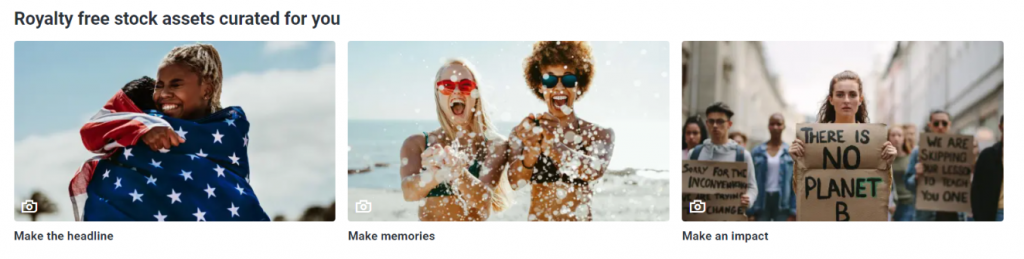
The Shutterstock free browse account allows you to access some of the stock photo website’s collection. It also allows you to download the free photo of the week. However, you will not have access to the entire library. If you want to widen your choices and download images, you need to get a subscription. Shutterstock subscriptions are not as cheap as other stock photo sites, but there is always a way to further your savings.

Shutterstock Coupons

Shutterstock coupons play a very important role to the success of your creative project. They help you save hundreds to thousands of dollars, so you can use the money for other important things. They can help further your savings, too. Where can you get these promo codes? Many websites offer Shutterstock promo codes. Some are legit, while others are scams. You need to be careful of who you dealing with.

How do you know that a website is a legit distributor of Shutterstock coupons? It’s simple. Make sure that the website is affiliated with the stock photo agency. You should only get your coupons from partner sites to avoid being scammed. You should not deal with sites that ask for money in exchange for coupons. More importantly, check if the codes are active and valid. For instance, Shutterstock coupon code 2026 is useable for this year.

How can you get coupons? Coupons are redeemable from partner sites. New customers and existing customers alike are given the opportunity to jump-start a creative project and save for other activities. Why do you need a Shutterstock coupon code? You need them to enjoy significant savings. You may think that 10 or 20 percent is a small amount, but if accumulated, you can save hundreds or even thousands per year.  

Shutterstock coupons are very important for bloggers, web designers, businessperson and other members of the creative community. They help you purchase and download the perfect images for your creative projects. With these coupons, you do not have to worry about the pricing of the stock site. You can start downloading royalty-free images instantly through these discounts. What are you waiting for? Get your Shutterstock photo coupons from a reliable website now!

istock photo logoiStock, previously known as iStockphoto, is a stock photo agency dedicated to provide the creative community with millions of hand-picked premium stock images at ridiculously great prices. It has been in business for over 15 years and has remained as a key destination for creative professionals who wish to make a big impact on their projects without breaking the bank. Here are some reasons why you should choose the stock site as your primary image source:
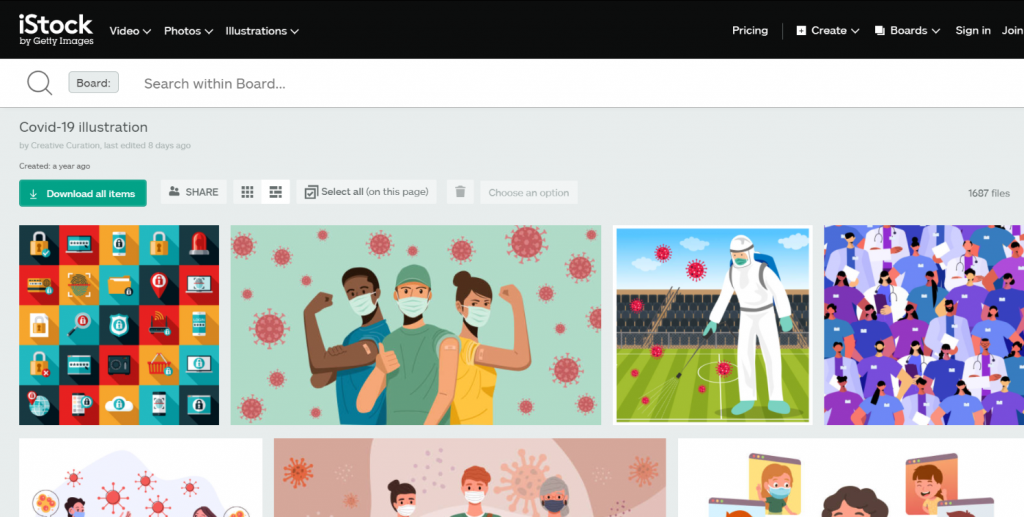

  • Best content at a great price. iStock provides you with several options to acquire images for the best value of your money. You can download credits or subscribe to plan, whatever suits your creative needs and budget. In fact, half of the images in the library is already half the price, too. Furthermore, stock photo website works with Stock Photo Secrets, which feature substantial savings with iStock coupon codes.
  • Faster search, more reliable results. iStock has plenty of creative content, exclusive to the website. Browsing through them has gotten easier and faster as well – thanks to the recent search upgrades. You can now focus on the image and the important details, and get exactly the images you are looking for. Furthermore, you can find a better match for your search or budget with the upgraded price filters.
  • Rates and pricing. iStock offers flexible rates to suit every creative professional’s budget. Available in pay per credits and subscription plans, you can download images you need to complete your creative projects. In terms of credits, the stock photo website gives you the opportunity to save more when you buy more. You can also enjoy additional savings through iStock discount code.

  • Free stock files every week. Another reason to use iStock is the free stock files you get every week. That’s right! When you sign up to the stock photo website, you will not only have access to millions of its premium quality stock images but also download and use one per week for free. You have the choice to get a free photo, video, illustration or audio clip.
  • iStock promo code 2026. As the top reason to go with iStock, this promo will save you 10% on credits and 15% on subscription on your first iStock purchase, and even existing customers. While other codes last a short period, this one gives you a maximum discount on 15% on your yearly subscription. Redeem it now!

iStock provides various reasons why you should consider it as your primary image source. Best content, great price, faster search, reliable results, flexible rates, and free stock files are only some of them. However, the top reason is the availability of iStock coupon codes which you can get from Stock Photo Secrets.

Having the right stock photos for your creative project is imperative. They do not only spice up your website, they also convert visitors into customers. However, finding the perfect images can be a daunting task – especially if you don’t know where to look. Several sources are available in the internet, but not all of them are reliable and affordable. So, where can you find the cheapest stock photos?

The cheapest stock photos aren’t for free. They come at a price that won’t hurt your pockets, though. They are sold for affordable prices at stock photo agencies. Your choice depends on your creative needs and budget.

Here’s a list of the best stock photo websites to purchase the cheapest stock photos:

  • Stock Photo Secrets. A one-stop shop for all your stock photo needs, Stock Photo Secrets offers the lowest deals in the market. Their 99 Club plan allows you to download 200 XXL images per year, without daily download limits. Free photos are also available in the website, as well as coupons to help you save more. SPS has over 5 million premium stock images – all with royalty-free license. Extended license is now offered at the stock site for unlimited print runs and merchandise for resale.

  • Shutterstock do not only have the cheapest stock photos, they also have the largest stock collection. With over 192 million royalty free images, music tracks and video clips, you will surely find the perfect file to enhance your creative projects. The stock site offer stunning content at straightforward prices, starting at $29 per month for 10 images. Plans for individual and multiple users are available, granting access and legal coverage for every user.


  • Adobe Stock. Adobe Stock is the best place to get the cheapest stock photos for Creative Cloud users. Deeply integrated with Adobe desktop apps, you can preview, access, license and manage stock photos directly. Annual plans start at $29.99 per month for 10 images. A free trial is currently offered, making it the best time to check out the website and see if it suits your creative needs. Credits are also available for content you can’t get with a plan, such as premium images, videos and templates.
  • If you are looking for the perfect stock photos, vectors and illustrations, iStock is the place for you. It has millions of high quality images that will make your project stand out. All files in the library belong to two collections: Essentials and Signature. Every size is the same price and can be bought through credits. Subscription plans are also available for larger, ongoing creative needs.

The cheapest stock photos are available in these four stock photo websites. At affordable rates, you are not only getting high quality images but also the usage rights that guarantee legal protection. All their images come with a royalty-free license that allows you to use them in any project for as long as you like. Some also offer extended license for unlimited print runs and use on merchandise for resale.

Photography is a great way to connect with your target audience. Over the years, stock photos have improved their quality and prices. You can find anything you need from stock photo sites for minimal cost. If you are looking for the cheapest stock photos in the market, check out the above stock image sources.


Images and other photos, like written text, can be copyrighted. If the specific image is not copyrighted it is said to be like in public domain and anyone may use it, but with certain risks. The owner can assert copyright protection over his image. This makes it illegal for anyone who use the image without permission to the owner. The image owner may allow others to use their image with explicit permission.

Copyright does not only apply to movies, songs or books, but also in software program, architectural designs, videogames and choreography, and photos. If your company register a copy right, it gives your company the right to sell and distributes copies.

A law suit is filed to collect the copyright-violation damages. If you violated a copyright law, the photo owner can request the judge for an injunction, stop the violations, and seize all copies that are already in existence. You can also lose a large sum equal to the money or financial profit you made from committing such crime. Furthermore, you can be asked to pay for statutory damages instead of the actual damages.

Statutory Damages
Statutory damages are asked before the final judgement. The court can ask you to pay anywhere from $750 to $30,000, depending on what the judge thinks is fair. If you are proven to break the copyright law willfully, instead of ignorance, you can pay up to $150, 000. However, if you are not proven to break the copyright law intentionally, the judge can lower the fee to as low as $200.

Criminal
If you willfully breaks the law for financial gain, it is considered as a criminal act. It’s also a crime if you reproduced more than $1,000 worth of materials or posts online, or pitched the idea that the original is to be distributed commercially. If you are caught, the police have the authority to destroy the illegal materials and force you to make compensation. Some copyright owners may pressure you to settle out of court.

That’s why you should always contact the owner of the image to see if they want to control use of the image before using it.